
You can cancel your AI Tutor subscription directly from your Student Dashboard. Please note, you will need to be logged into the parent dashboard to proceed with cancellation.
To cancel:
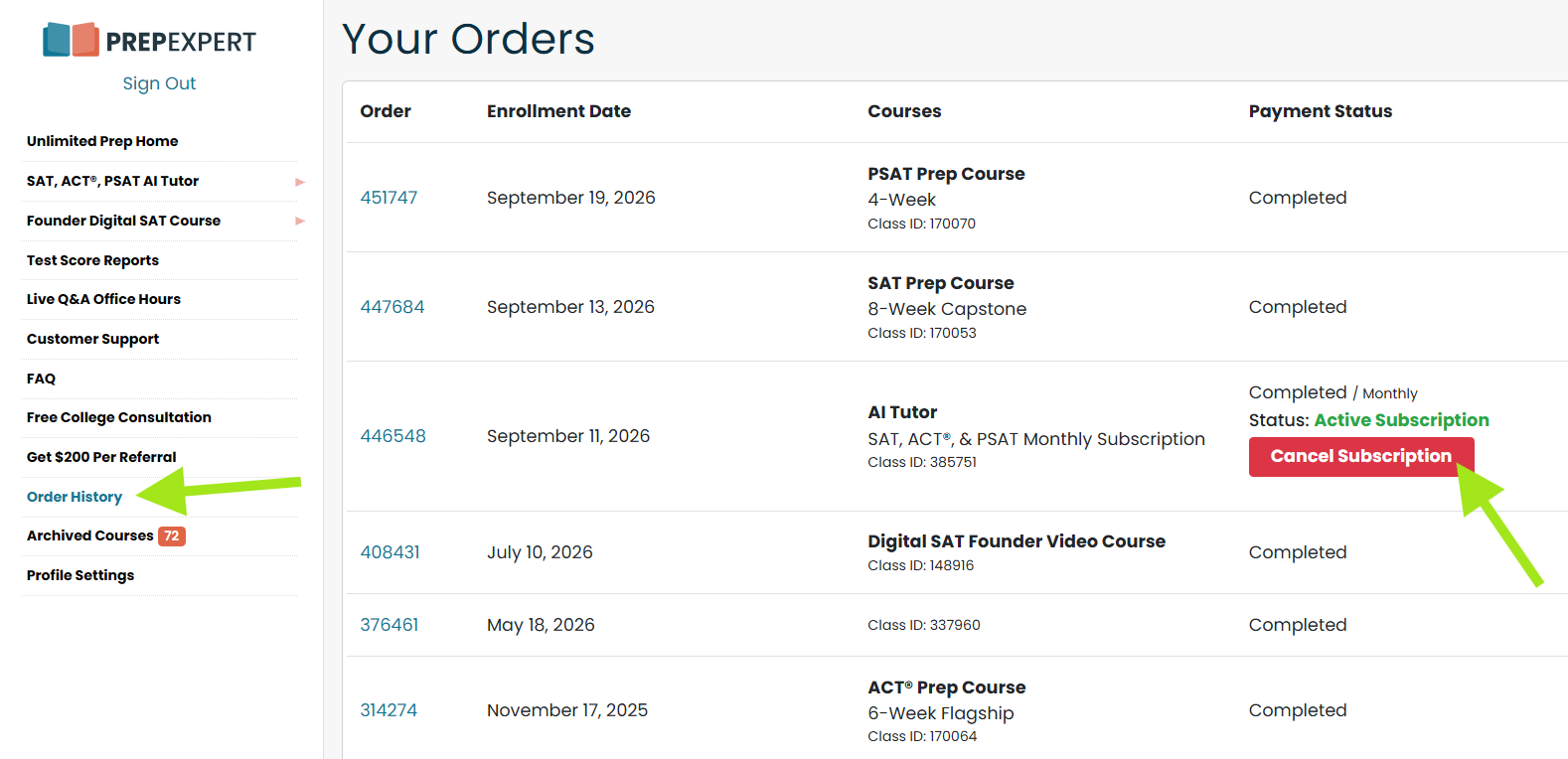
- Log in to your Prep Expert Student Dashboard.
- Select the Order History tab.
- Find your AI Tutor subscription.
- Click Cancel Subscription.
Once your subscription has been canceled, you will receive a cancellation confirmation by email.
Your cancellation will prevent the subscription from renewing for another billing cycle. You will continue to have access to the AI Tutor through the end of your current paid period. Please note that we do not provide refunds for unused portions of a billing cycle. Requests for refunds or credits may be reviewed on a case-by-case basis at Prep Expert’s discretion.